
Viewing Your Child’s Conversation History
Parents can view and manage their child’s recent conversations with Ellie or Ember directly in the Imagix portal app.
Overview
How to Access Conversation History
- Open the Imagix app.
Start on the Character Dashboard. - Go back to the Lobby.
Tap the top-right icon and select “Back to Lobby.” - Open the Parent Dashboard.
From the Lobby, tap the top-right icon again to enter the Parent Dashboard. - Select your child’s profile.
Tap “Profiles” at the bottom of the screen, then choose your child. - View Conversation History.
Select “Conversation History” to see the most recent interactions your child has had with Ellie or Ember.
Managing Conversation History
- You can clear the conversation history at any time from this page.
- Conversation history is stored for up to 90 days.
- All conversation data is encrypted.
- Only parents can access this information through the app.
- Imagix does not view, review, or access your child’s conversation history, and it is not shared with third parties.
This feature is designed to give parents transparency and control while preserving a safe, private experience for children.
App Walkthrough
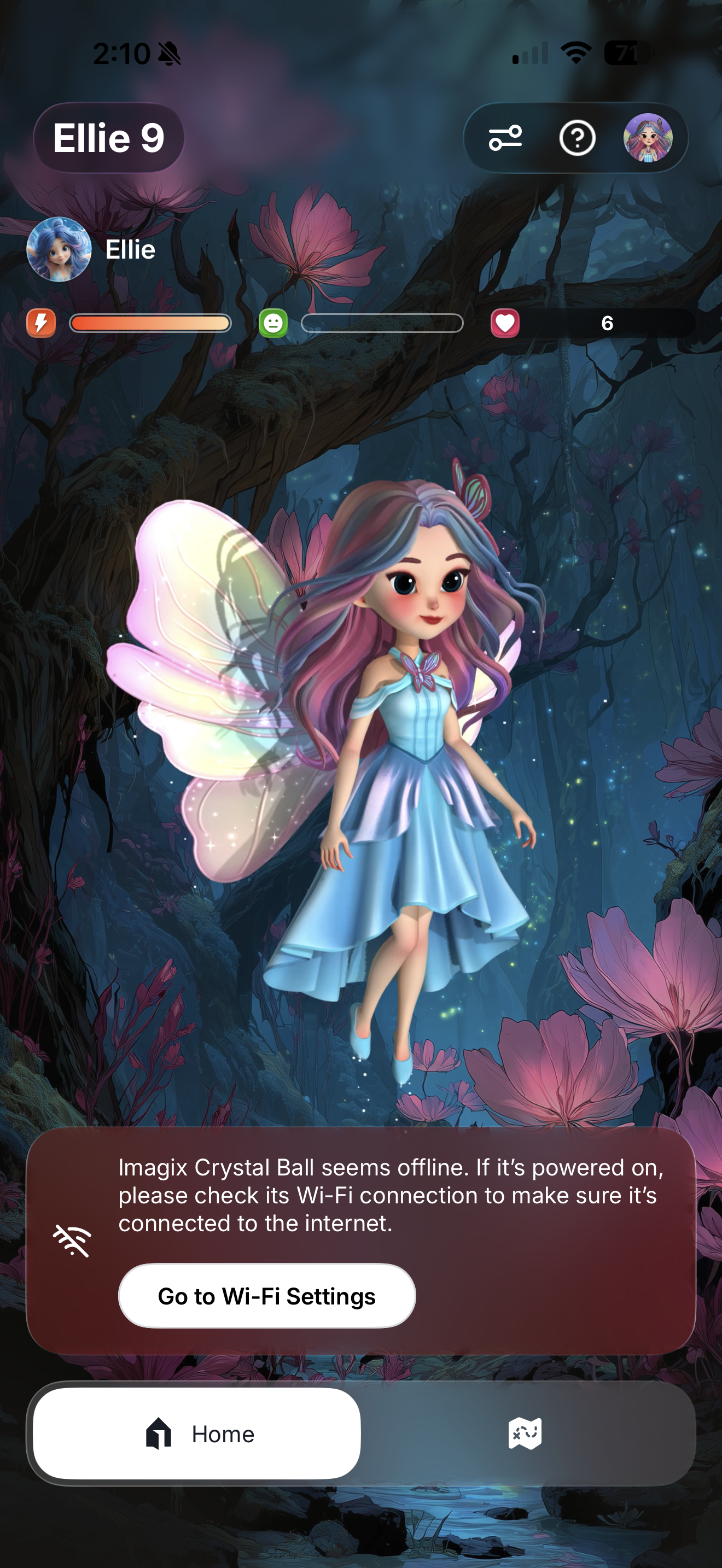
Character Dashboard
Click the top right icon
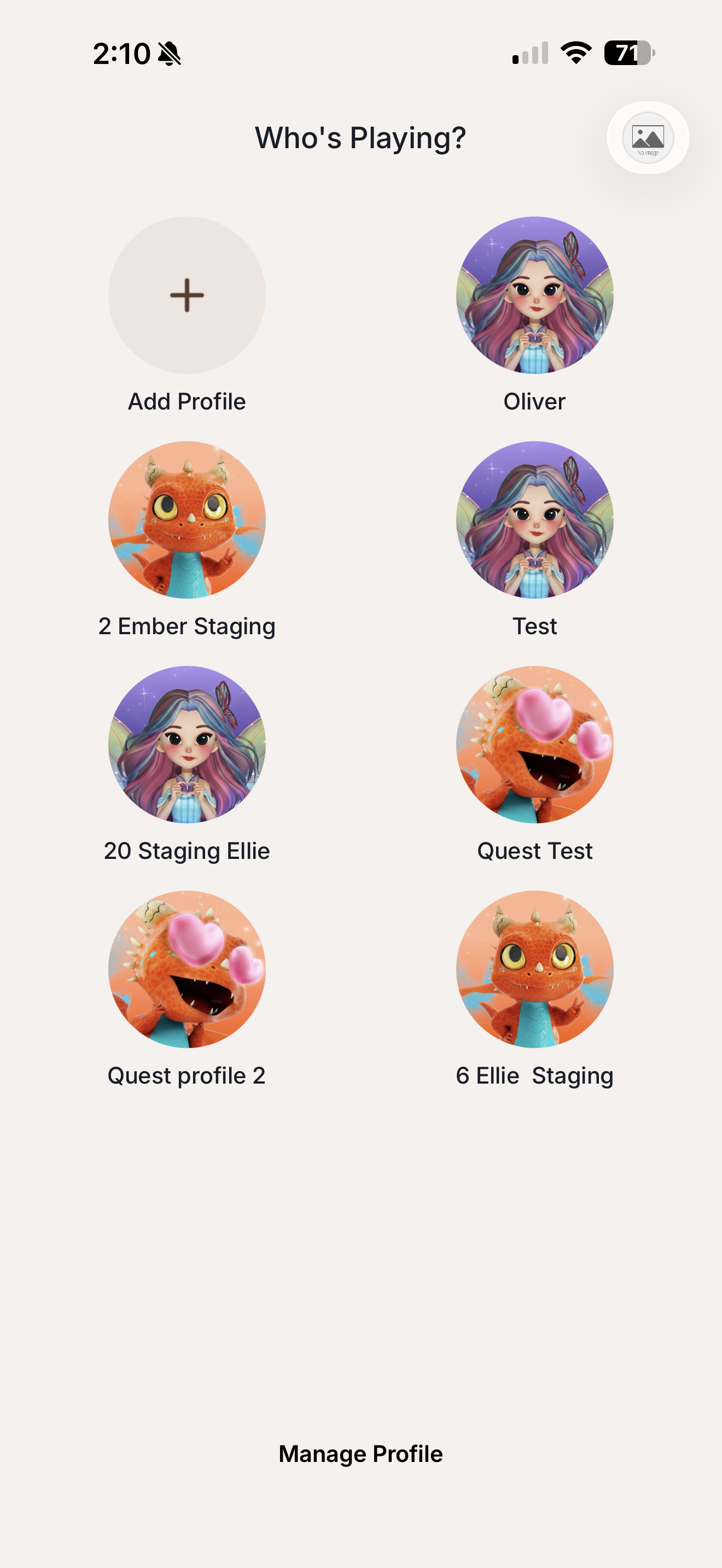
Profile Overview
Click the top right icon
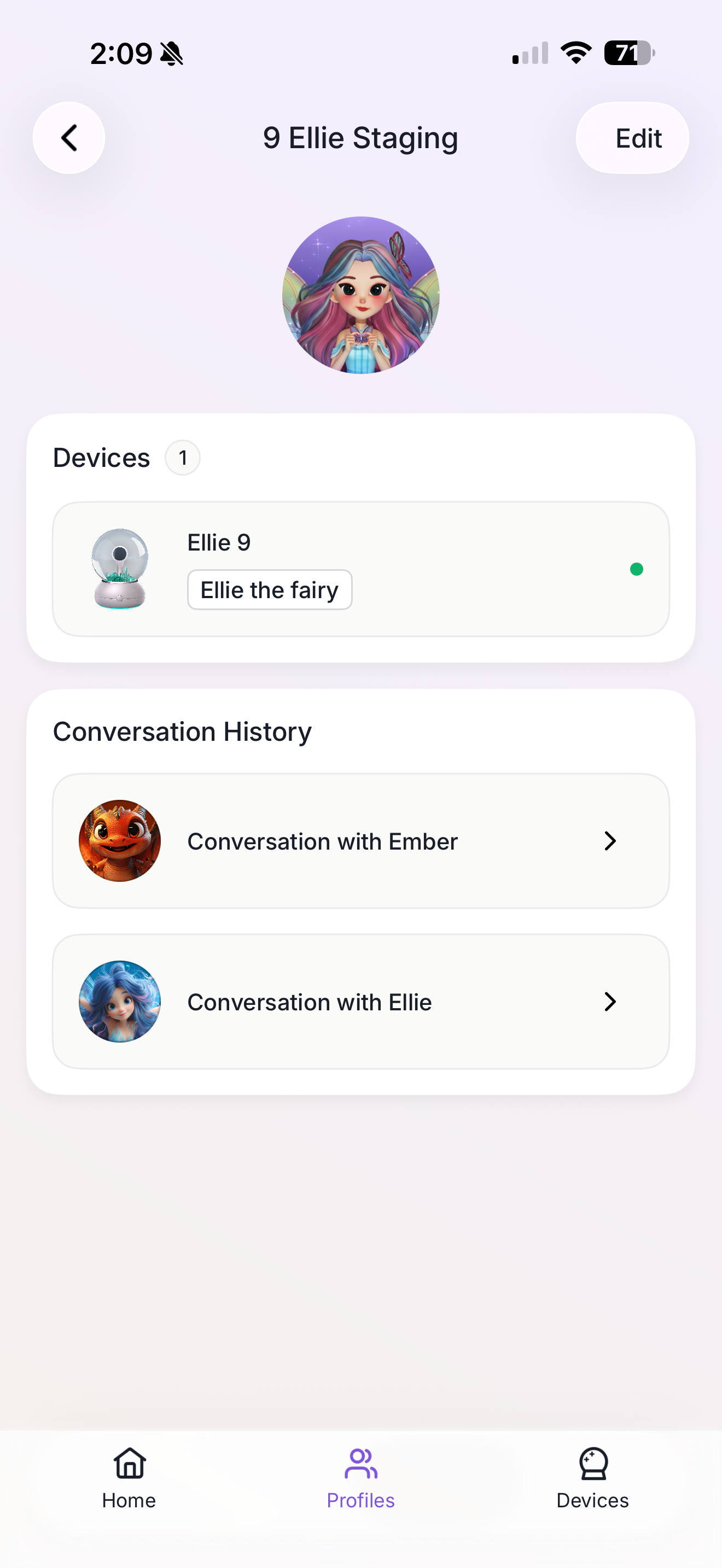
Parent Section
Click on Profiles and then "Conversation History"